Copy this prompt and send it to Codex on the computer where you want Usagi. Codex will use the existing checksum-verified installer and explain any manual selection step.复制提示词并发送给要安装 Usagi 的那台电脑上的 Codex。Codex 会使用现有校验安装器,并说明需要手动选择的步骤。
View or manually copy the prompt查看或手动复制提示词
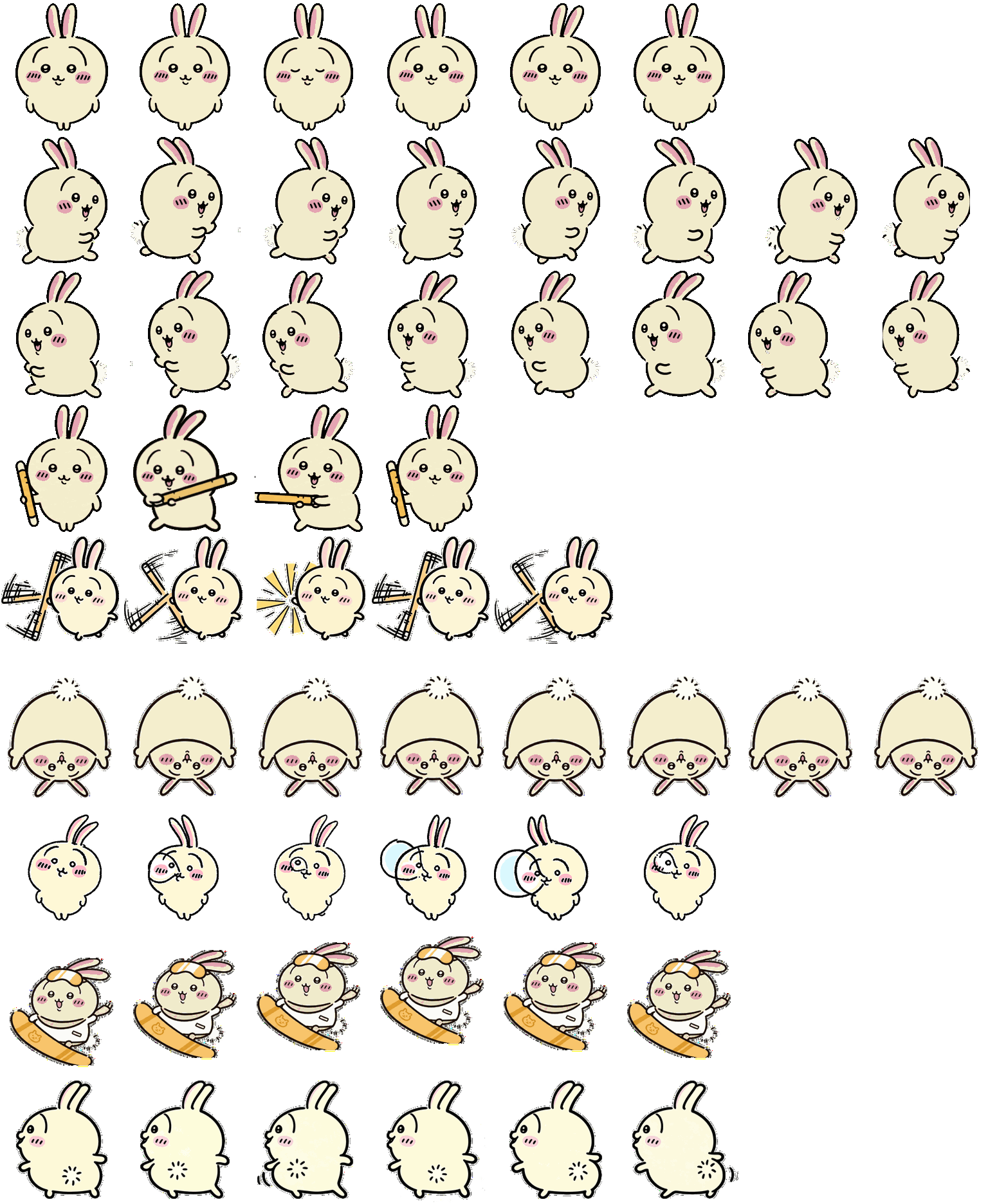
UU-USAGI · SPRITE PREVIEWUU-USAGI · 精灵动画预览
Usagi animated preview and installation guideUsagi 动画预览与安装指南
See Usagi move through a few work states, then choose the installation steps for the ChatGPT or Codex surface you use.先看看 Usagi 在不同工作状态下的动画,再按你使用的 ChatGPT 或 Codex 界面查看安装步骤。
This is a local interface demo. It is not connected to a Codex session and does not read or change files.这是页面内的交互演示,不连接真实 Codex 会话,也不会读取或修改文件。
Add an export button and check that it works.加一个导出按钮,并检查它能否正常工作。
Choose a state or start the sample conversation.
Preview a state切换预览状态
Choose a state to control the fixed preview; hovering it does not change the selected animation. Hover the floating pet to play Jump, or drag it left or right to run. Reduced-motion settings show still frames.固定预览只播放当前选定的状态,悬停不会切换动作。悬停页面上的浮动宠物会播放 Jump;左右拖动时会播放对应跑动。系统开启减少动态效果时显示静帧。
INSTALL & SELECT安装并选择
Choose your ChatGPT or Codex surface选择你的 ChatGPT 或 Codex 使用场景
Switch tabs to see the install and selection steps for one surface at a time.点击下方子标签,查看对应界面的安装和选择步骤。
Open Settings → Pets, refresh the list, then select Usagi.打开 Settings → Pets,刷新列表,然后选择 Usagi。
Show it with /pet or the app's Show pet control. Right-click Usagi or choose Hide pet to hide it.输入 /pet 或使用应用里的 Show pet 控件显示宠物;右键点击 Usagi 或选择 Hide pet 可隐藏。
The installer verifies both files before copying and stops if existing content conflicts. Desktop pets stay on this computer and do not automatically sync to the web.安装器会在复制前校验两个文件;若现有内容冲突会停止。桌面宠物保存在这台电脑,不会自动同步到网页端。
In an interactive Codex CLI session, enter:在 Codex CLI 交互会话中输入:
/pets uu-usagi
Use a terminal that supports Kitty graphics or Sixel. Pets are unavailable inside tmux and Zellij.终端需要支持 Kitty 图形协议或 Sixel;tmux 和 Zellij 内不可用。
Linux terminalLinux 终端
Run this command in a shell:在 shell 中运行:
curl -fsSL "https://raw.githubusercontent.com/wishflow/wishflow-tools/master/apps/pet/install.sh" | sh
Start an interactive Codex CLI session and enter:启动 Codex CLI 交互会话并输入:
/pets uu-usagi
The terminal must support Kitty graphics or Sixel. Pets do not work inside tmux or Zellij. This installs a CLI pet and does not provide a floating desktop pet.终端需支持 Kitty 图形协议或 Sixel;tmux 和 Zellij 内不可用。此方式安装的是 CLI 宠物,不提供桌面浮动宠物。
Not original work; for non-commercial backup and sharing only.非原创,仅供非商业备份和分享。
The source and original license could not be traced. This statement describes the use of this copy; it does not claim authorship or grant permission on behalf of the original creator. If the source is found, attribution and original terms should be added.原作者和原始许可目前无法追溯。本声明只描述这份素材的用途,不声称拥有作者身份,也不代表原作者授予许可。若找到来源,应补充署名、来源和原许可。
Remove the installed files删除已安装文件
Quit the app or CLI first. Remove only the uu-usagi folder; check CODEX_HOME first if you set a custom location.先退出正在使用宠物的应用或 CLI。只删除 uu-usagi 目录;若设置了自定义 CODEX_HOME,请先确认路径。
macOS / Linux
codex_home="$CODEX_HOME"
if [ -z "$codex_home" ]; then codex_home="$HOME/.codex"; fi
rm -r "$codex_home/pets/uu-usagi"